Features That Empower Your Workflow

Discover a suite of intuitive tools designed to simplify complexity and boost productivity.

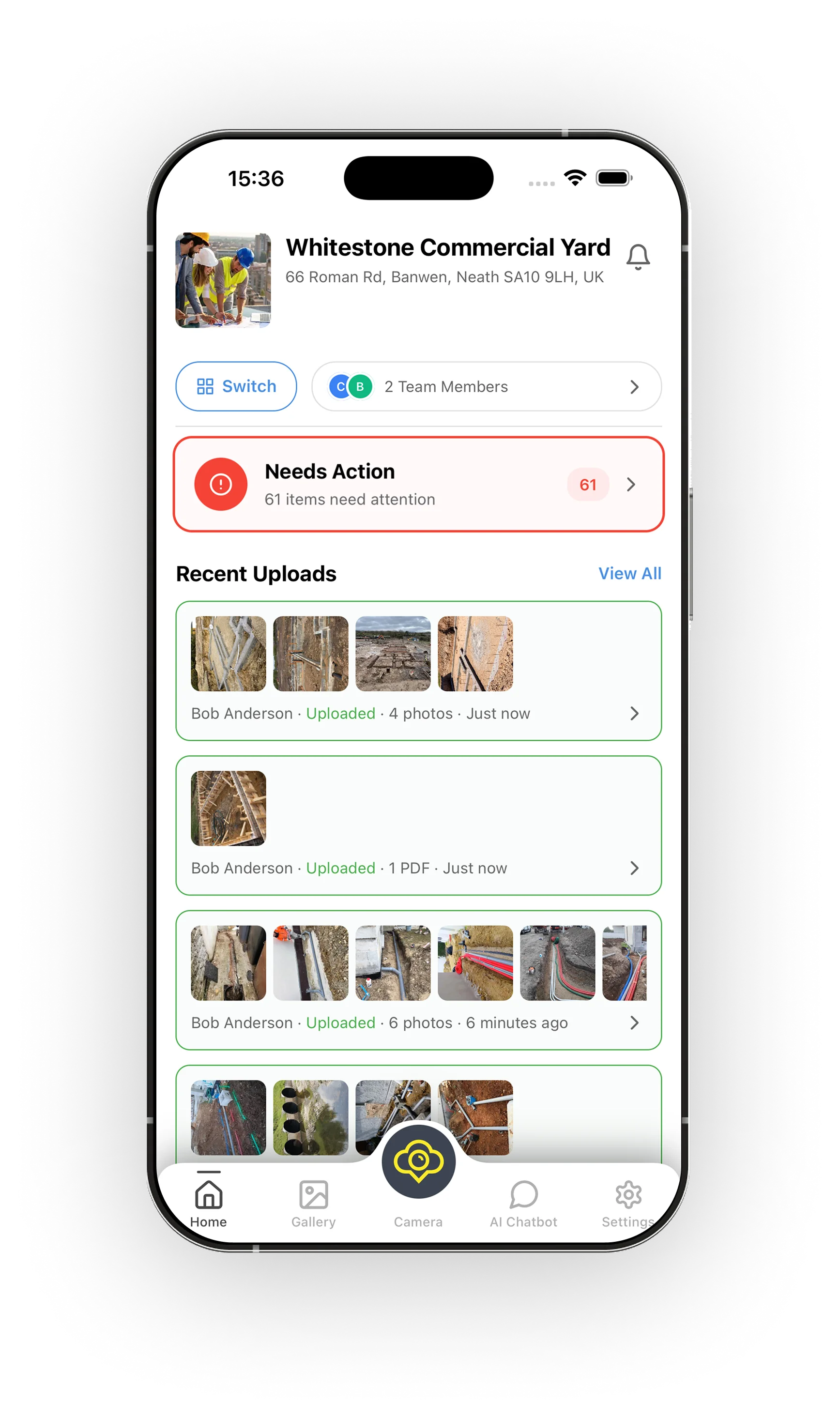
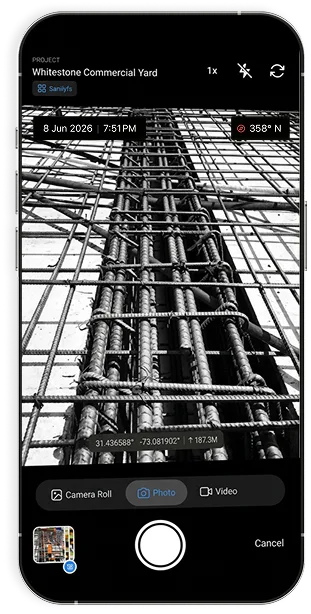
Lidr.io app project gallery screenLidr.io app photo capture screen

Clarity From Every Capture

Every Photo Time-Stamped

Keep photos, videos, and notes organized by project and stage. Helping your team work faster, stay compliant, and deliver confident updates to clients and stakeholders.

  • Automatic date, time & GPS on every photo
  • Undeniable proof for inspections & claims
  • Watermark-free images on paid plans
  • Capture via in-app camera with location pin
Download Now
★★★★★200,000+ Users

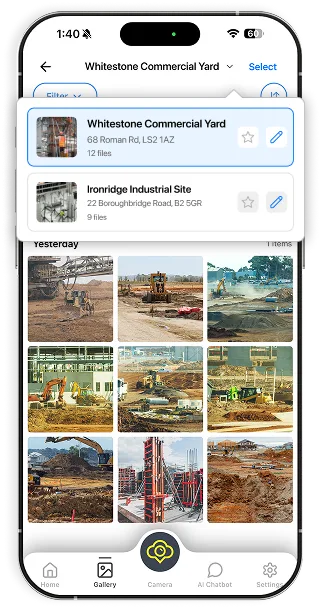
A Gallery For Every Project

Capture site images with automatic location and timestamp. All photos are stored in-app — not your camera roll — and sorted by project and stage automatically.

  • Project-based photo organisation
  • Visual timeline of site progress
  • Up to unlimited cloud storage on Pro
  • Searchable & accessible from day one
Download Now
★★★★★200,000+ Users

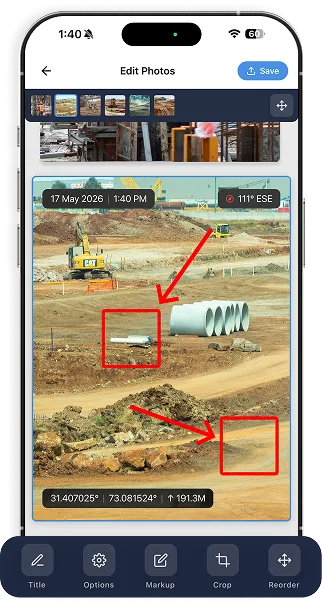
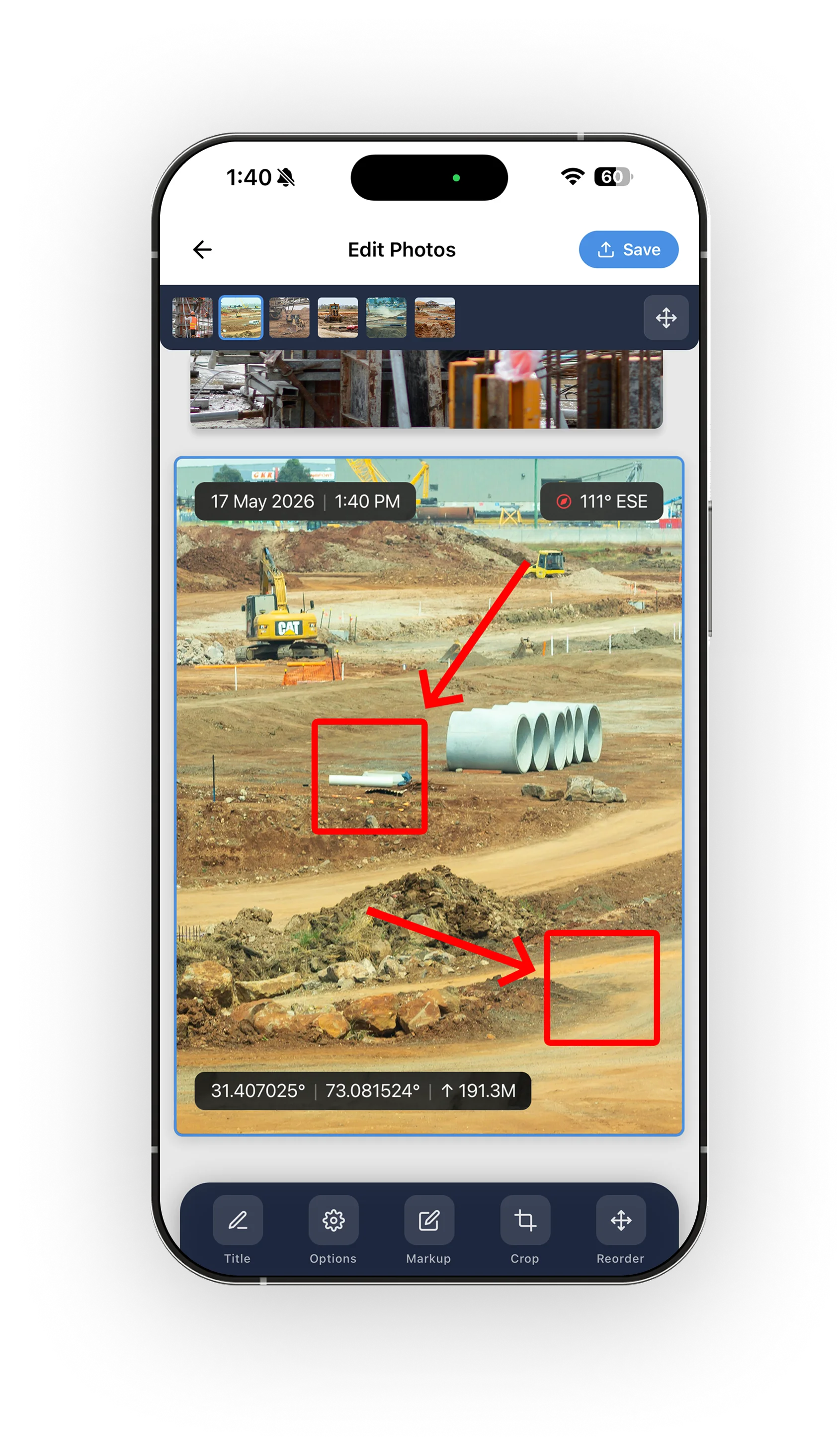
Mark Up Any Image

Highlight, label, and draw directly on images. Snap a photo of an issue, draw an arrow, tag a priority level, and sync it to your team — streamlining your entire punch-list process.

  • Draw, highlight & annotate on photos
  • Add titles, descriptions & tags to images
  • Intuitive, mobile-first markup tools
  • Sync marked-up images to team instantly
Download Now
★★★★★200,000+ Users

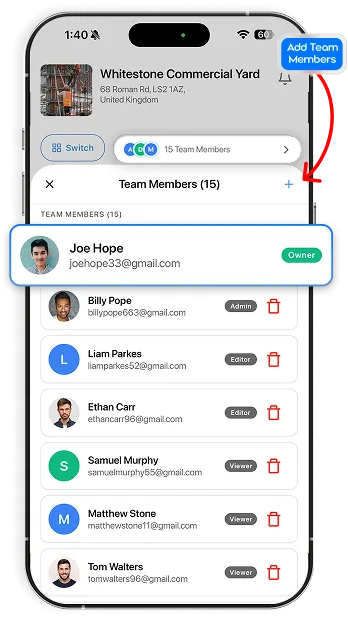
Add Your Team To Any Project

Invite collaborators, assign tasks, track progress, and get alerts. Subcontractor accountability has never been easier — the proof of progress is right there in the data.

  • Invite team members & free Viewers
  • Assign people to projects & manage access
  • Track who captured, reviewed & approved
  • Real-time updates for clients & stakeholders
Download Now
★★★★★200,000+ Users

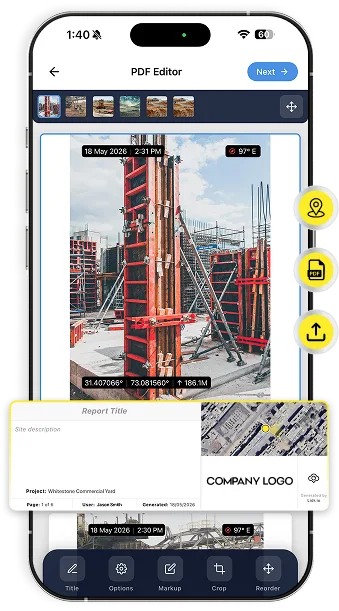
Instant PDF Reports With Context

Combine photos, notes, and markups into professional reports instantly. What used to take hours of sorting and writing now happens in minutes — your clients will notice the difference.

  • One-tap professional PDF generation
  • Unlimited photos per report on Pro
  • Share reports securely by link
  • Compliance-ready documentation records
Download Now
★★★★★200,000+ Users

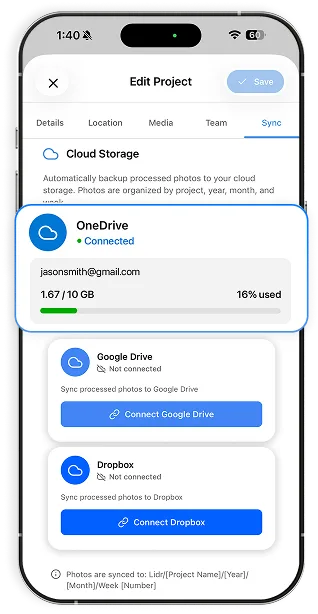
Every Photo Auto-Synced

Auto-sync to OneDrive and shared folders — your documentation is secure, organised, and searchable from day one. No more digging through folders or emails to find what you need.

  • Seamless OneDrive & shared folder sync
  • Unlimited cloud backup on Pro plan
  • Stored in-app, not cluttering your camera roll
  • Integrates with your existing tools & platforms
Download Now
★★★★★200,000+ Users

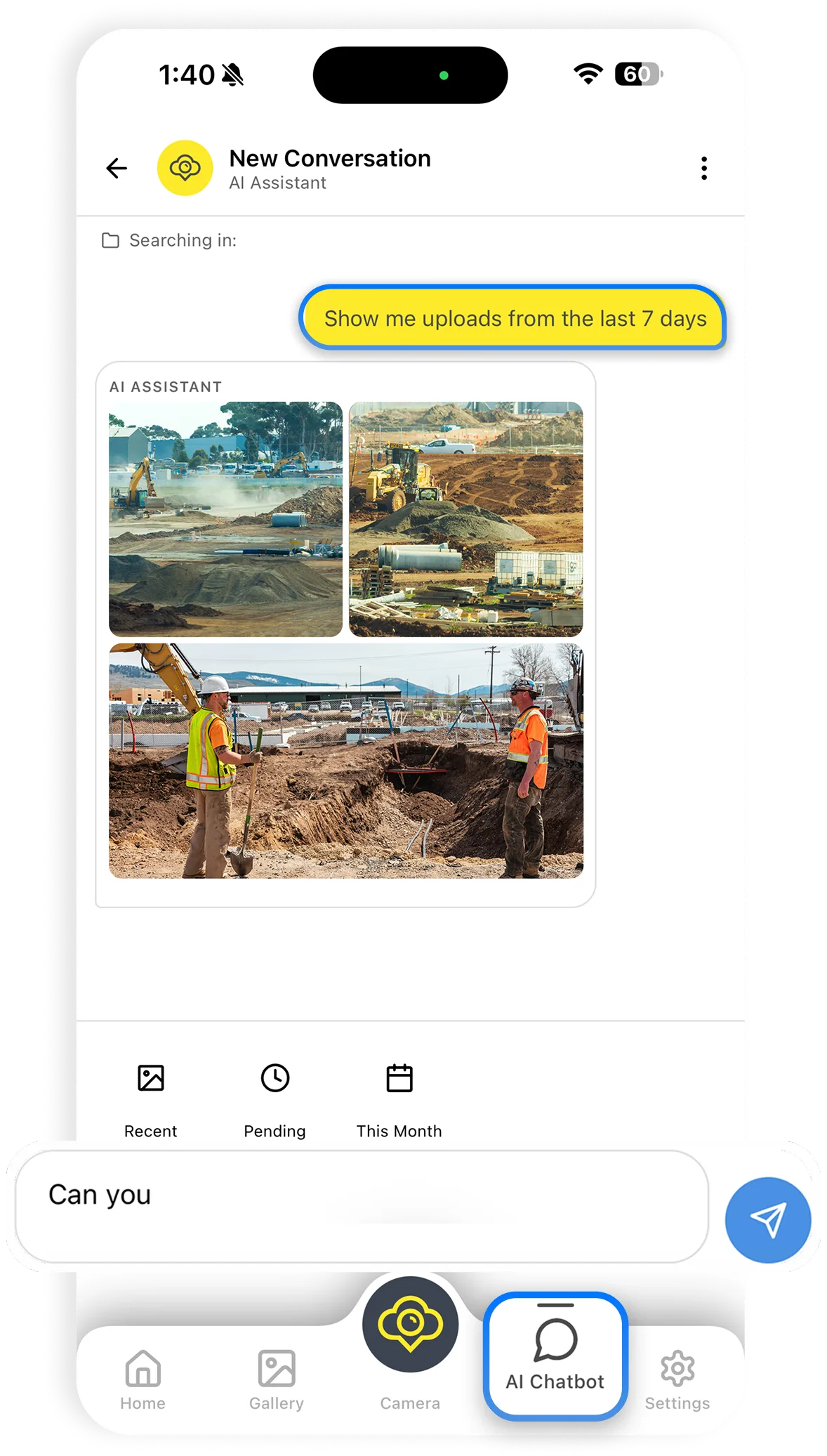
AI That Finds Everything

Ask questions, get guidance, and interpret project data instantly with Lidr's AI Project Assistant. Reduce disputes, resolve variations, and stay on top of every project detail.

  • AI-powered project chatbot & assistant
  • Instantly locate any photo or report
  • Interpret & summarise project data
  • Available on Essential & Pro plans
Download Now
★★★★★200,000+ Users

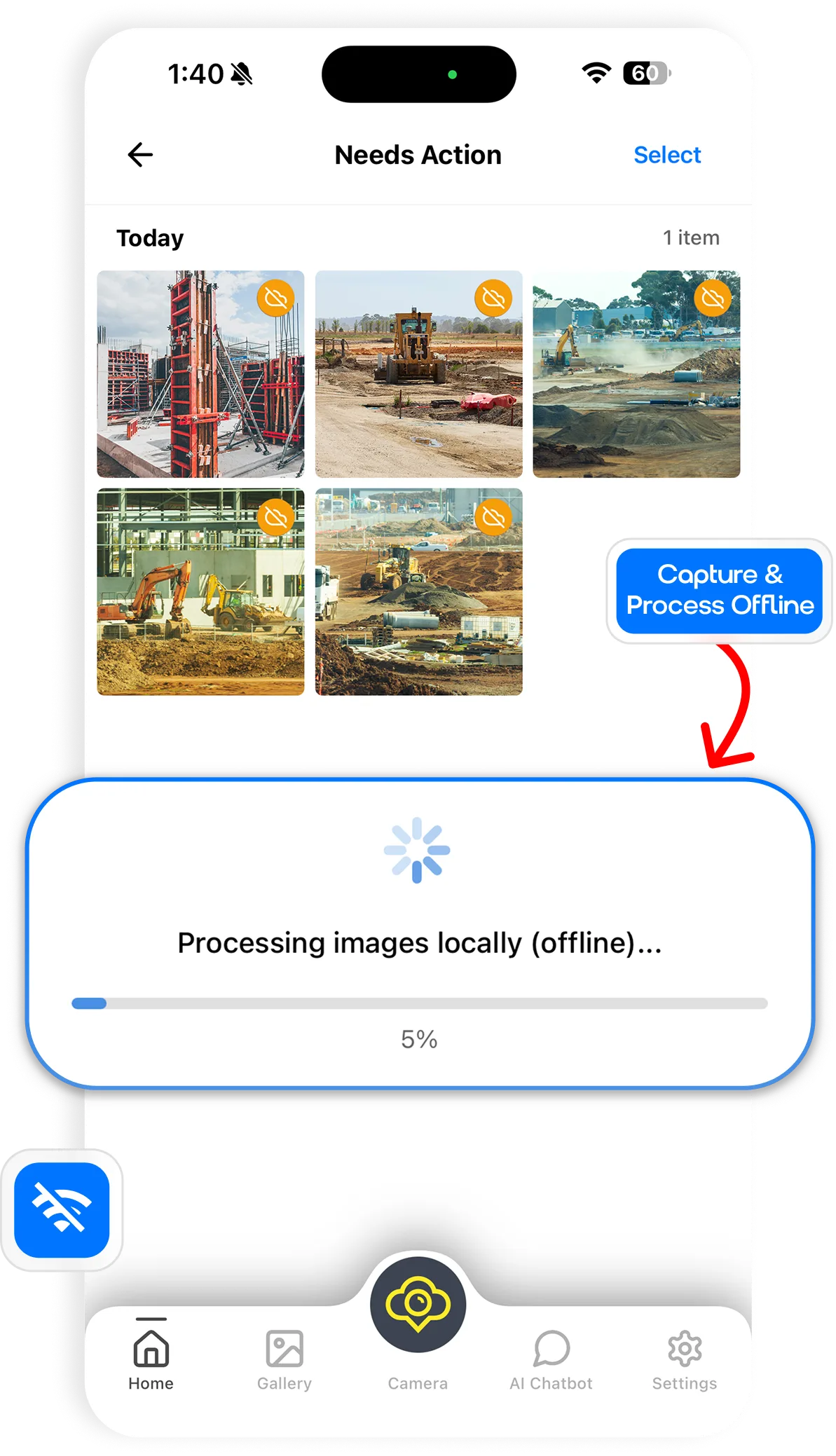
No Signal No Problem

Works seamlessly offline on remote sites — capture pinpoint coordinates and generate professional PDF reports even without a connection. Everything syncs the moment you're back online.

  • Full offline mode for remote job sites
  • GPS coordinates captured without signal
  • Auto-syncs when connection is restored
  • Reliable documentation anywhere on site
Download Now
★★★★★200,000+ Users

Everything Your Project Needs, In One Place

Reduced Disputes

Helps resolve variations, delays, and payment claims with confidence.

Time Savings

Cut hours of manual report writing with automated, structured documentation.

Client Transparency

Give clients clear, professional updates that build trust and reduce follow-up.

Compliance Readiness

Keep records organized and accessible for internal reviews & regulatory checks.

Stronger Accountability

Track who captured, reviewed, and approved each record to improve responsibility.

Consistent Standards

Ensure every site follows the same documentation process for repeatable results.

Trusted by Peoples Across the World

We used to waste hours trying to map photos back to specific site locations. Now, the automated geolocation tags do all the heavy lifting for us. It's saved our field engineers countless headaches.

Sarah Jenkins

Sarah Jenkins

Project Director, Apex Build Group

For insurance compliance and dispute resolution, this tool is pure gold. Having undeniable proof of date, time, and location stamped directly on our audit photos has protected us from three false claims this quarter alone.

David Vance

David Vance

CEO, Vanguard Infrastructure

The transition from field capture to office reporting used to be a messy bottleneck. With everything instantly organized by project and stage, our stakeholders stay updated in real-time.

Elena Rostova

Elena Rostova

Operations Manager, Horizon Edge

As a solo inspector, efficiency is everything. This app works seamlessly offline on remote sites, captures pinpoint coordinates, and generates professional PDF reports before I even get back to my truck.

Marcus Thorne

Marcus Thorne

Lead Surveyor, Thorne Consulting

Subcontractor accountability has completely turned around since we deployed this across our teams. No more 'he said, she said' regarding progress milestone completions—the proof is right there in the data.

Carlos Mendez

Carlos Mendez

VP of Construction

The markup tool is incredibly intuitive. Being able to snap a photo of an issue, draw an arrow on it, tag it with a priority level, and sync it to the team instantly has streamlined our entire punch-list process.

Rachel Choi

Rachel Choi

Site Superintendent, Matrix

We integrated this app directly into our existing OneDrive setup, and the auto-sync feature works flawlessly. Our documentation is secure, organized, and searchable from day one.

Jameson Blake

Jameson Blake

CTO, BuildTech Global

Download The Lidr.io App

Transform Photo Documentation.

Get 14 Day Free Trial.

Download on the App StoreGet it on Google Play
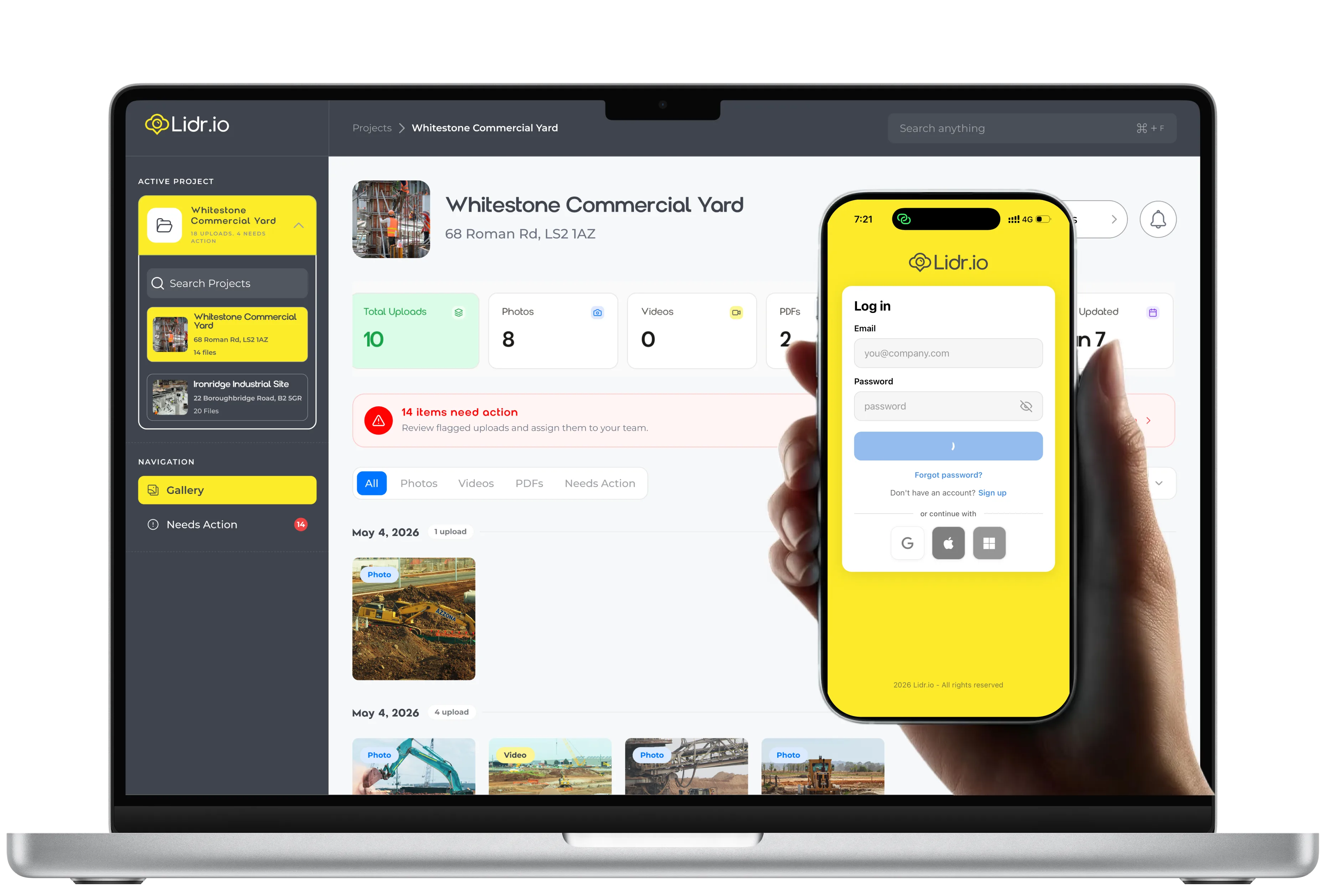
Laptop and phone running the Lidr.io dashboard